






3DFovi
Simple 3D Viewer
An easy‑to‑use, surprisingly affordable simple 3D viewer
ABOUT What is 3DFovi?
"I want to be able to check 3D data more easily."
"Is there software that we can use ourselves without relying on a CAD operator?"
To answer these questions, we focused on simplicity above all else, creating a 3D viewer that anyone can use with ease.
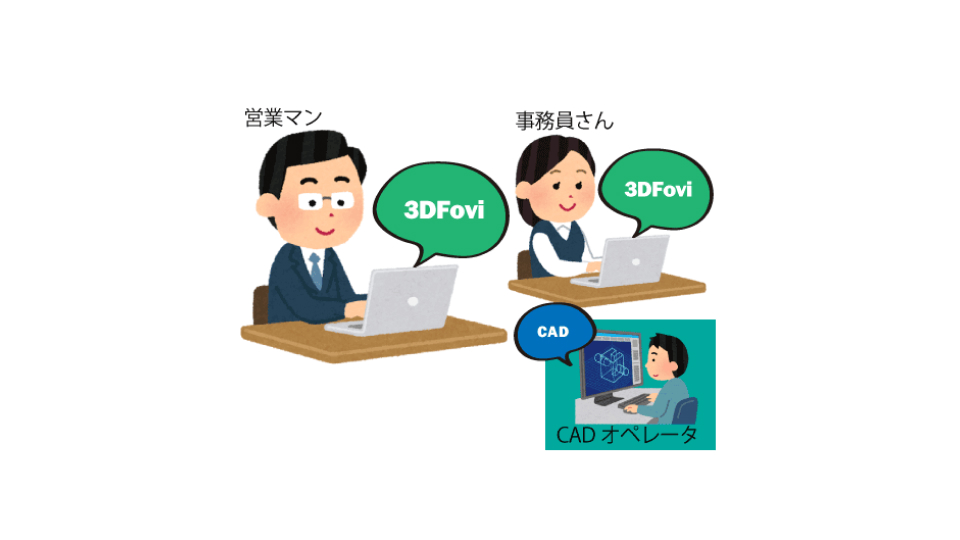
Simple enough for anyone to use
You can easily view and measure 3D data with the same ease of use as Word or Excel.
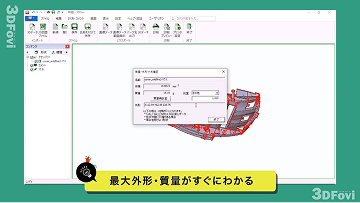
You can calculate the maximum outer diameter and volume with just one click.
Supports a variety of data
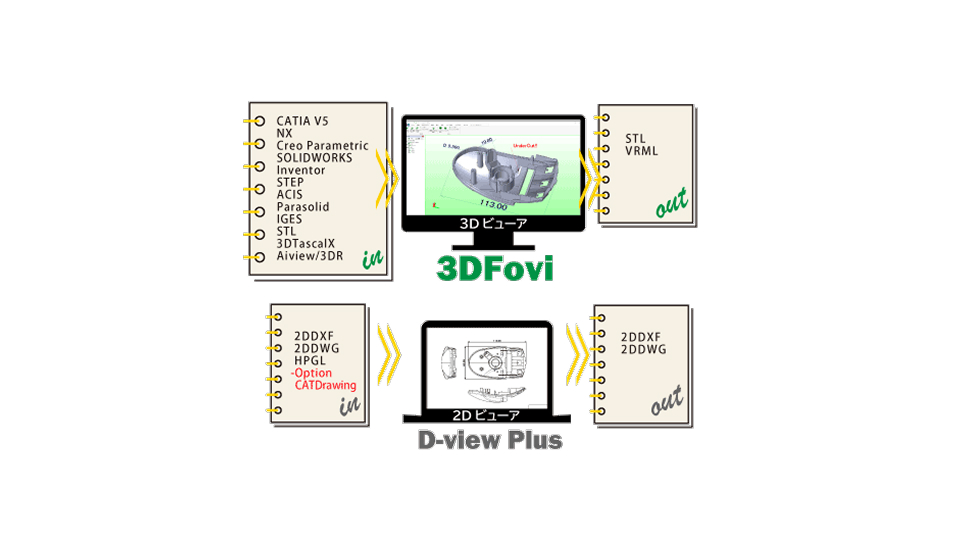
It is possible to input major CAD software such as CATAI, NX, Creo Parametric, SOLIDWORKS, and Inventor, as well as intermediate data such as IGES, STEP, and Parasolid. It also supports 2D data such as CATDrawing, DXF, and DWG.

Low prices that are easy for introduce
The annual fee is an incredibly low price of $385 for the first year and $155 for the following year!
This is a reasonable price that is friendly to small and medium-sized businesses. Why not use it as a powerful sales tool to differentiate yourself by responding to quote requests quickly and get one step ahead of your competitors?
VIDEO 3DFovi Promotional Video
FEATURE Features of 3DFovi
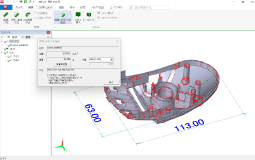

Dimensional measurement and volume calculation
With one click, you can calculate the maximum outer dimensions, volume, and mass of a part.
You can also measure length, diameter, and angle.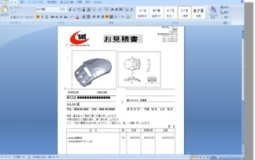
Image copy
3D data images can be copied to the clipboard, making them easy to paste into Word or Excel.
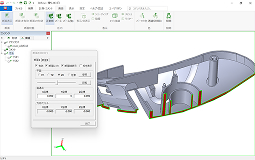
Cross section confirmation
You can check the cross section of the 3D data.
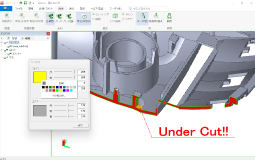
Adding comments and colors
You can add comments to the 3D data. You can also add your favorite colors and transparency colors.
USE CASES Main usage scenarios

Sales Department
You can easily calculate the volume, surface area, mass, and maximum external dimensions. It runs on a laptop, so you can work on the go.

Business and Administration Department
You can check the 3D data yourself without having to stop the design or engineering departments.

Processing department
It is possible to consider setup and processing before issuing 2D drawings. Even if there are missing dimensions in the drawings, you can measure them yourself without having to check with the design team or your business partner each time, reducing waiting time.

Assembly Department
You can easily check clearances and part positions from assembly data.

purchasing department
You can easily create materials and outsourcing documents from 3D data.
For those who want to know more
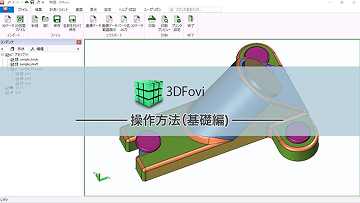
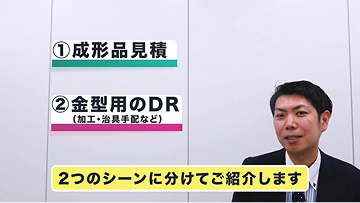
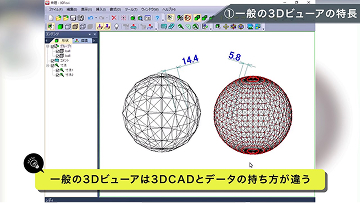
For those who want to know more about the functions and examples of the 3DTascalX series, we have prepared videos that explain the specific usage methods and introduction effects in each business.
FUNCTIONS Function
Display function
- Zoom in and out
- Rotation
- Move
- Shading, wire, hidden line, mesh, and edge enhancement displays
- Orthographic and perspective displays
- Transparency display
- Cross section display
- Viewpoint direction and arbitrary viewpoint display
- Dynamic viewpoint movement
- Lighting
- Lightweight display
- 2-screen and 4-screen split display
- Assembly hierarchy display
- Zoom in and out
Measurement and comment function
- Distance measurement (actual length, X, Y, Z)
- 3-point angle measurement
- Radius/diameter measurement
- Volume/mass/maximum outer dimensions
- Comments
- Numbering
- Add group
- Part/face coloring
- Distance measurement (actual length, X, Y, Z)
Other features
- Direct Movement
- Parallel Movement
- Axis Movement
- Axis Rotation
- Image Copy
- Image Region Copy
- Assembly Component CSV Export
- 2D Drawing Viewer (D-view Plus)
- Direct Movement
SUPPORTED FORMATS Supported formats
-
Data Format Extension VER IN OUT IGES *.igs
*.igesVer5.3 Assembly
Parts
Wire
STEP *.stp
*.stepAP203
AP214
AP242Assembly
Parts
WireSTL *.stl 

VRML *.wrl V1.0,V2.0 Parasolid *.x_t
*.x_b
*.xmt_txt
*.xmt_binV9-V34 Assembly
Parts
WireACIS *.sat R4-R2024 1.0 Parts
WireSOLIDWORKS *.sldasm
*.sldprt2018-2025 Assembly
PartsCATIA V5 *.CATProduct
*.CATPartV5R8 – V5-6R2024 Assembly
Parts
WireNX *.prt UnigraphicsV11-V18
Unigraphics/NX-NX2406Assembly
Parts
WireCreo Parametric *.asm
*.asm.*
*.prt
*.prt.*Pro/ENGINEER16-Wildfire5
Creo 1.0-11.0Assembly
Parts
WireInventor *.ipt
*.iamV11-V2025 Assembly
Parts3DTascalX *.3dx V1-V12 Assembly
Parts
Wire
Note DimensionsAiview/3DR *.3dr V1-V3 Assembly
Part
Viewpoint
Note Dimension3DFovi *.3df IN:V1-V5
OUT:V5 -
Data Format Extension VER IN OUT 2DDXF *.dxf IN : R12-2018
OUT : R12-2007 2DDWG *.dwg IN : R12-2018
OUT : R12-2007 HPGL *.hgl
*.hpgl
*.hpg
*.hgl -
Data Format Extension VER IN OUT CATDrawing *.CATDrawing V5R8 – V5-6R2024
(D-view Plus) -
Data Format Extension VER IN OUT JPEG *.jpg BMP *.bmp Enhanced Metafile *.emf CSV *.csv
Recommended environment
| OS (64-bit only) | Windows 10 Pro (Desktop Mode) Windows 11 Pro |
|---|---|
| CPU | Intel Core i5 series or higher recommended |
| memory | 16GB |
| graphic | OpenGL accelerated graphics recommended *1 |
| others | Internet connection *2 |
- *Graphics-related issues may affect 3D operations, so please check operation with the trial version.
- *This is required when authenticating your license for the first time or when renewing, but there is also a proxy authentication function that allows authentication via an online PC.
PRICING Pricing
Basic products
3DFovi First year subscription
$385
3DFovi After the second year subscription
$155
Interface option annual fee
CATDrawing (R) Interface Option
$825
Precautions
- Product configuration and prices are subject to change without notice. Please note.
- There is no support menu for this product. Inquiries after purchase will only be handled via email.
- This product is primarily installed via download.
- The 3DFovi license and CATDrawing option are licensed on a one-year subscription basis and will not launch after the expiration date. To renew your 3DFovi license, please purchase the "3DFovi 365-day subscription," and to renew the CATDrawing option, please purchase the same product.
Contact us here for development requests or consultations.