






3DTascalX/Light
High precision/multifunctionality
A high-spec 3D viewer with excellent cost performance.
This is a subscription-style license for 3DTascalX.
ABOUT What is 3DTascalX/Light?
Its greatest feature is developed with the Parasolid kernel same as major 3D CAD.
Except design (modeling) functions, it has almost same functionality of CAD.
A viewer isn't enough, but don't need CAD, this software meets those requirement.
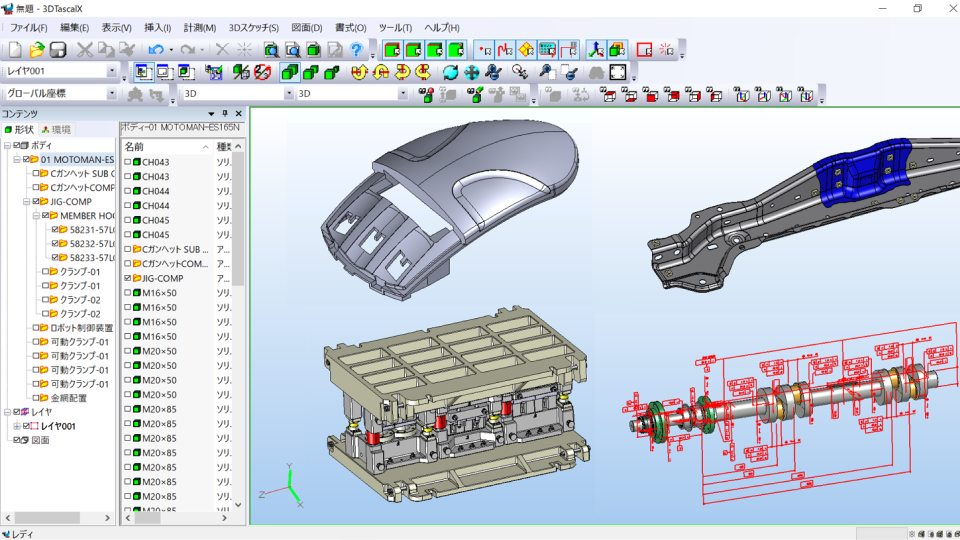
Supports a variety of data
It is possible to input major CAD software such as CATAI, NX, Creo Parametric, SOLIDWORKS, and Inventor, as well as intermediate data such as IGES, STEP, and Parasolid. It also supports 2D data such as CATDrawing, DXF, and DWG.
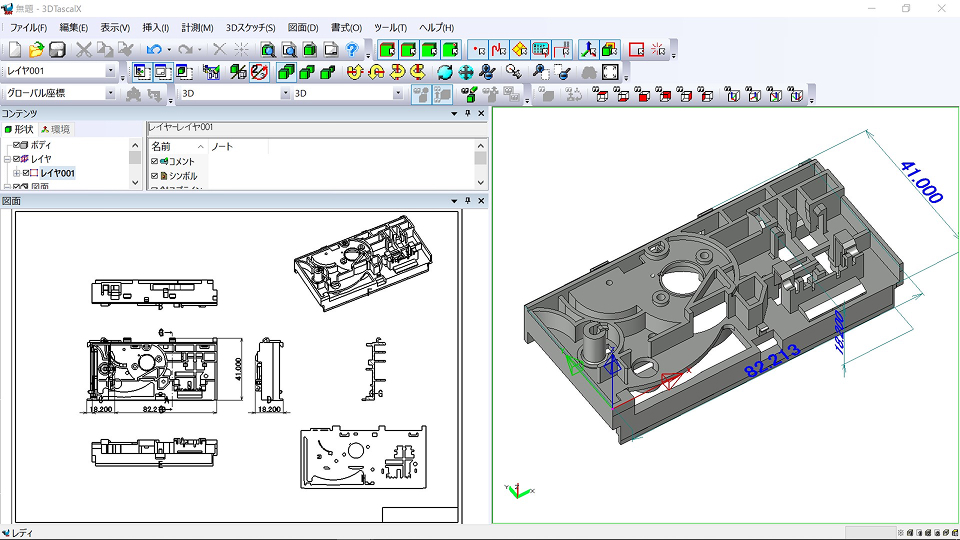
2D drawing
3D data can be easily developed into 2D drawings such as three-dimensional views and cross-sections. Furthermore, splines and ellipses can be output as approximate arcs. For assembly data, there is also a function to create drawings for each part at once.
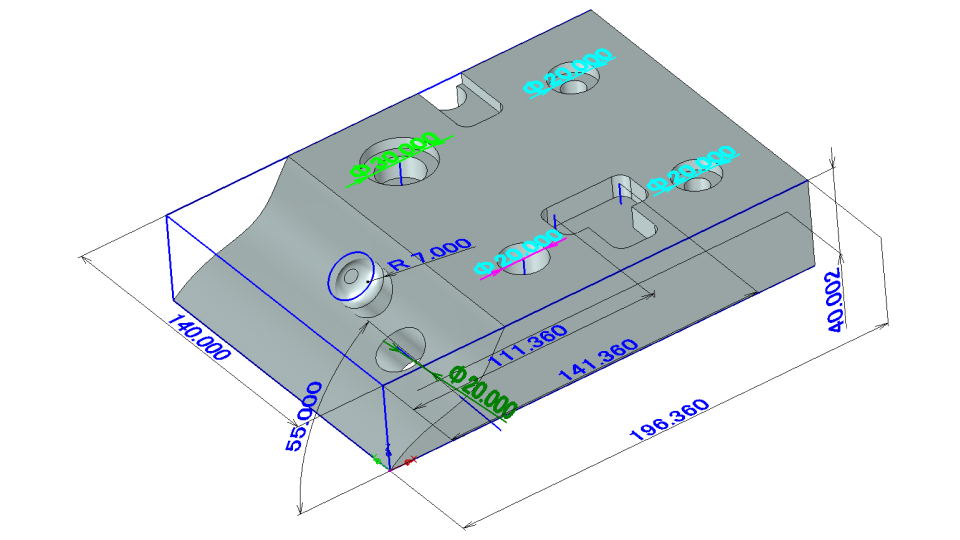
High-precision measurement and 3D sketching
In addition to measuring 3D shapes, the sketch function allows you to interpolate gaps between parts and materials by drawing intersections, midpoints, offset lines, etc. Furthermore, by setting secondary coordinates, absolute and relative values can be easily calculated.
VIDEO 3DTascalX/Light Promotional Video
FEATURE Features of 3DTascalX/Light
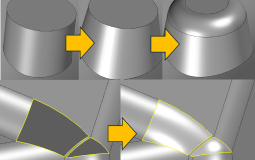

Color-coded verification function
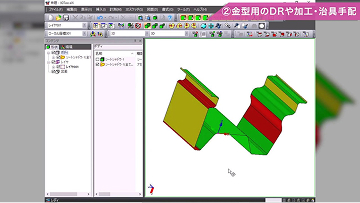
Design changes, slope angles, thickness, undercuts, heights, holes, and fillets can be color-coded by their respective values.
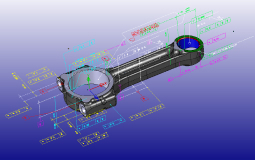
3D annotation support
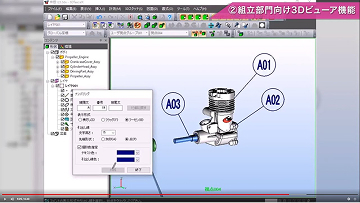
It is possible to import dimensions, notes, view information, etc. added to 3D data in CAD. In addition, property information added to parts in CATIA and NX data can also be imported.
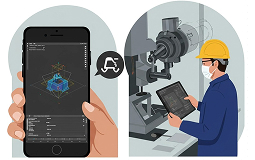
Data Sharing
(Some options require payment)By outputting 3D data to a dedicated free viewer, you can share the data with business partners and other departments. Data formats are available that are compatible with not only Windows, but also Android and iOS.
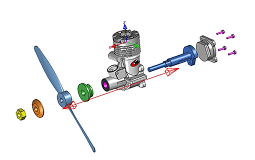
presentation
It is possible to create video presentations by breaking down assembly data and adding motion.
USE CASES Main usage scenarios

Production Engineering Department
When you don't have enough CAD licenses for drawing inspection work, or when the 3D viewer you are using doesn't have enough functionality.

Processing department
It is possible to consider setup and processing before issuing 2D drawings. Even if there are missing dimensions in the drawings, you can measure them yourself without having to check with the design team or your business partner each time, reducing waiting time.

Sales Department
You can easily calculate the volume, surface area, mass, and maximum external dimensions. It runs on a laptop, so you can work on the go.

Inspection Department
In addition to dimensional measurement, you can also save inspection results by setting tolerances and entering actual measurements.
You can also set probe coordinates for 3D measuring machines.
purchasing department
You can easily create 2D drawings and documents for procuring materials and outsourcing from 3D data.
For those who want to know more
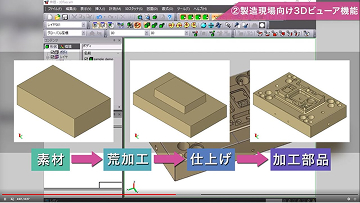
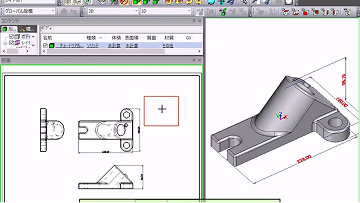
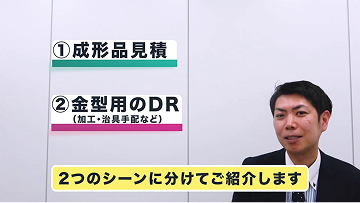
For those who want to know more about the functions and examples of the 3DTascalX series, we have prepared videos that explain the specific usage methods and introduction effects in each business.
FUNCTIONS Function
Display function
- Shading, wire, hidden line, and edge enhancement displays
- Perspective display
- Transparency display
- Cross section display
- Viewpoint direction display
- Dynamic view movement
- Focus display
- Lighting
- Lightweighting
- Part search
- Subscreen display
- Shading, wire, hidden line, and edge enhancement displays
Measurement function
- Distance measurement
- Angle measurement
- Arc measurement
- Surface diameter/radius measurement
- C chamfer measurement
- Automatic hole dimension measurement
- Line length measurement
- Volume/surface area/mass measurement
- Maximum outer dimensions
- Coordinate values
- Probe offset coordinate values
- Input of actual inspection measurements
- Distance measurement
3D sketch function
- Points
- Lines
- Circles
- Spline Lines
- Planes
- Projection Lines/Points
- Section Lines
- Face Intersections/Center Lines/UV Lines
- Linearizing Edges
- Trimming/Flipping/Extending/Shortening/Joining Lines
- Area Lines
- Rectangles
- Link Lines
- External Edges
- Points
Drawing function
- Batch Drawing Output
- Projected Drawing
- Isometric Drawing
- Arrow View
- Cross-Section View
- Line Grid
- Bill of Materials
- Dimensions
- Comments
- Insert Coordinate Axis
- Approximate Arc
- Supports Scale, Elements, Line Types, and Colors
- Batch Drawing Output
Model operation function
- Solidification (IGES → Parasolid)
- Surface Separation (Solid → Sheet)
- Gap Filling
- Face Offset
- Automatic Hole Filling/Manual Face Deletion
- Sheet Hole Loop Removal
- Body Check
- Part Color Settings (Face Color Attributes Can Be Set)
- Projection Plane Creation
- Face Merging
- Fillets
- Taper
- Solidification (IGES → Parasolid)
Pre-verification function
- Color-coded surface height
- Color-coded surface slope angle
- Color-coded design change areas
- Color-coded shadow surfaces
- Color-coded wall thickness
- Height, slope, and hole color table
- Part shrinkage
- Color-coded surface shape
- Color-coded surface height
Other features
- Create local coordinates
- Create comments and notes
- Create viewpoints
- Create presentations
- Create markups
- Display thumbnails
- Create local coordinates
SUPPORTED FORMATS Supported formats
-
Data Format Extension VER IN OUT Parasolid *.x_t
*.x_b
*.xmt_txt
*.xmt_binV9 – V37.1 Assembly
Parts
Points
Wire
STEP *.stp
*.stepAP203
AP214
AP242Assembly
Parts
Points
Wire
PMI (Symbol)*AP242IGES *.igs
*.igesVer5.3 Assembly
Parts
Points
WireSOLIDWORKS *.sldasm
*.sldprt2022 – 2026 Assembly
PartsCATIA V5 *.CATProduct
*.CATPartV5R8 – V5-6R2026 Assembly
Parts
Points
Wire
PMI (Symbol)
Secondary CoordinatesNX *.prt UnigraphicsV11 – V18
Unigraphics/NX – NX2512Assembly
Parts
Points
Wire
Layer Information
PMI (Symbol)Creo Parametric *.asm
*.asm.*
*.prt
*.prt.*Pro/ENGINEE16 – Wildfire5
Creo1.0 – 12.0Assembly
Parts
Points
Wire
Free Surface
PMI (Symbol)JT *.jt V8.1 – V10.10 Assembly
Parts
PMI (Symbol)Inventor *.ipt
*.iamV11 – V2026 Assembly
Parts
Point
WireACIS *.sat R4 – R2026.1.0 Body
Point
Wire3DTascalX *.3dx V2 – V12 All 
-
Data Format Extension VER IN OUT 3DX ReaderDS *.3dxds 
Assembly
Parts
Wire
PMI (Symbol) -
Data Format Extension VER IN OUT 2DDXF *.dxf IN : R12 – 2018
OUT : R12 – 2007
(D-view Plus) 2DDWG *.dwg IN : R12 – 2018
OUT : R12 – 2007
(D-view Plus) HPGL *.hgl
*.hpgl
*.hpg
*.pgl
(D-view Plus) NAZCA5 CAD *.n5cadx -
Data Format Extension VER IN OUT CATDrawing *.CATDrawing V5R8 – V5-6R2026
(D-view Plus) -
Data Format Extension VER IN OUT JPEG *.jpg BMP *.bmp AVI *.avi CSV *.csv
- The SOLIDWORKS import interface does not support assembly features.
- When exporting DXF or DWG with D-view Plus, compound elements such as dimensions will be exploded into lines, text, etc.
- The Creo Parametric interface option may require an instance accelerator file when importing assemblies.
- The JT interface option can only read JT files in XT-Brep format.
Recommended environment
| OS (64-bit only) | Windows 11 Pro (Desktop Mode) |
|---|---|
| CPU | Intel Core i5 series or higher recommended |
| Memory | 16GB |
| Graphics | OpenGL accelerated graphics recommended *1 |
| others | Internet connection *2 |
- *Graphics-related issues may affect 3D operations, so please check operation using the trial version.
- *This is required when authenticating your license for the first time or when renewing, but there is also a proxy authentication function that allows authentication via an online PC.
PRICING Pricing
Basic product
3DTascalX/Light 1 year subscription
$800
Interface option products
CATDrawing option
$825
Model Modification Option
$165
3DXDS(W)option
$165
Precautions
- Product configuration and prices are subject to change without notice. Please note.
- There is no support menu for this product. Inquiries after purchase will only be handled by email.
- This product is basically installed by download.
- The 3DTascalX/Light 1-year license, CATDrawing(R) option, shape editing option, and 3DXDS (W) option are licensed on a one-year usage fee basis and will not work after the expiration date. If you wish to continue using the product, please purchase the same product.
Contact us here for development requests or consultations.